CrayonLyf Features : One Parenting App for Meals, Screen Time & Family Tasks
Snap a photo and AI logs the meal. Set a daily screen time limit. Share tuition, school and doctor tasks with parents, grandparents and nannies. Then open one Daily Digest to see how your child's day is going.


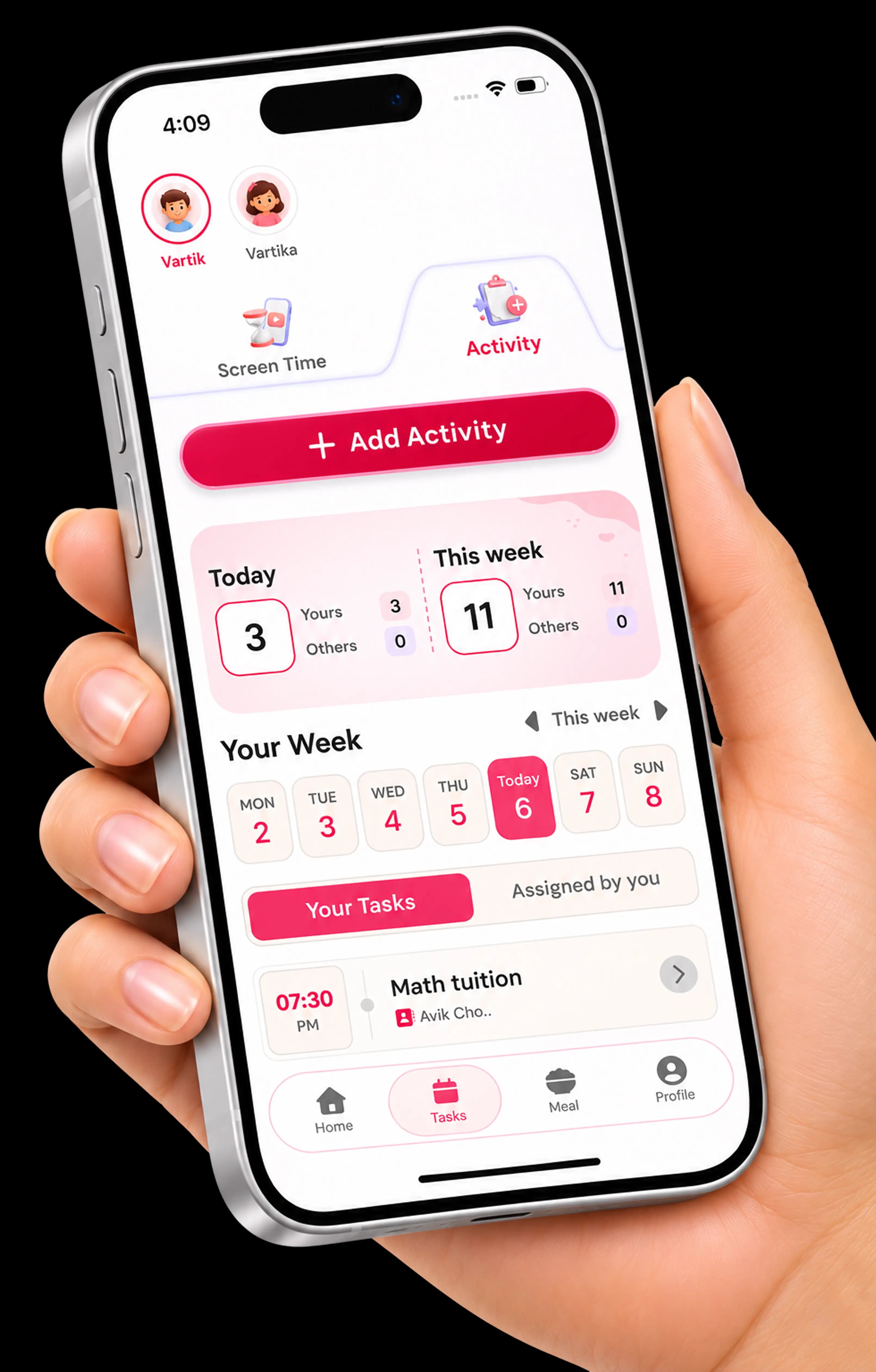
Shared Caregiver Tasks and Activity Tracking for the Whole Family
Assign tasks like tuition classes or doctor visits, and see who did what. Nothing depends on one person remembering everything.
Assign and tick off tasks
Hand a task to a parent, grandparent or nanny and watch it get ticked off.
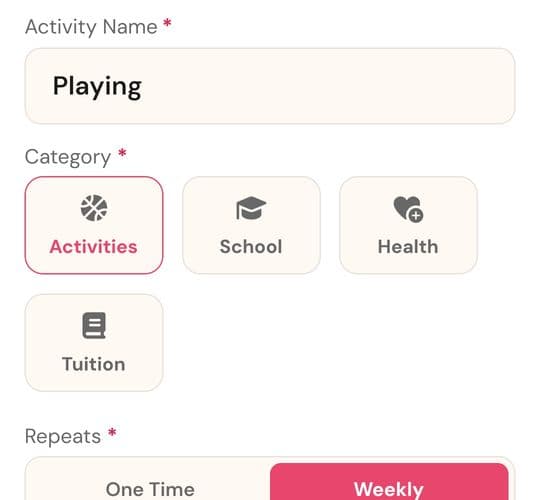
One-time or weekly activities
Plan school, health, tuition and play activities, then get reminders when they are due.
Shared routines, notes and reminders
Everyone works from the same plan, so the same question is not asked three times.
AI-Based Meal Tracking and Activity Logging
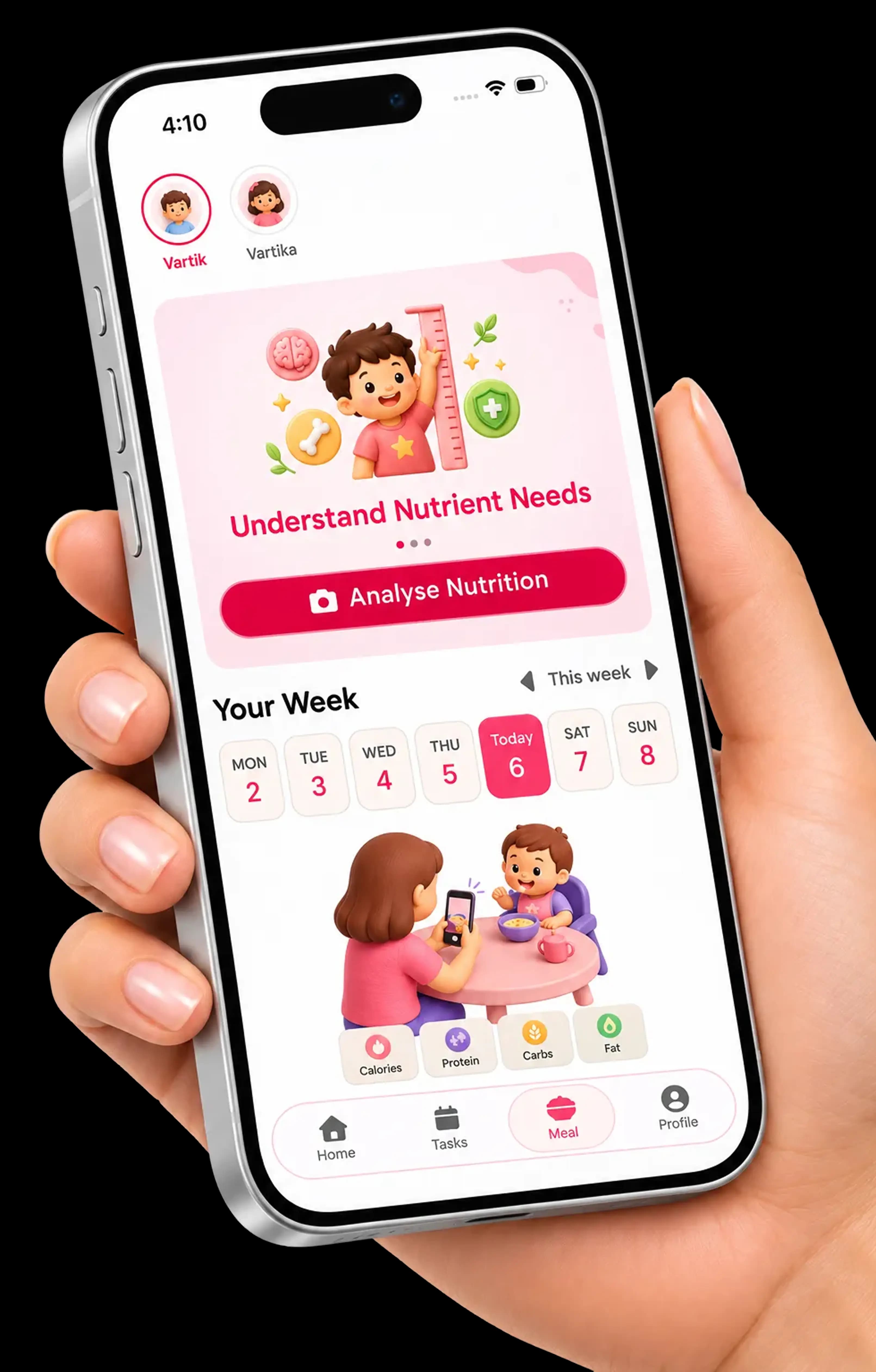
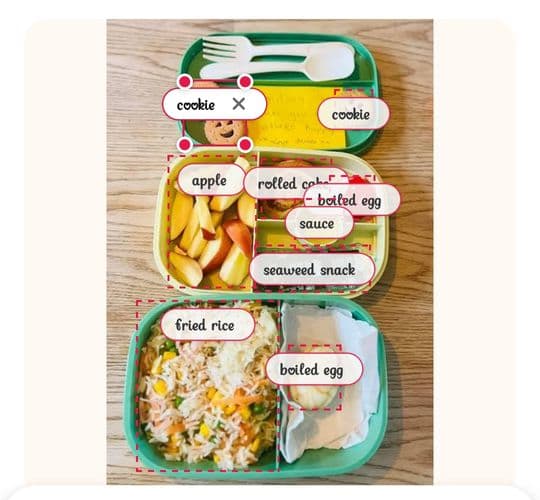
Snap a photo of your child's meal and AI identifies each food item and estimates its nutrition. Check the list, edit anything that got wrong and log the meal in one tap.
AI identifies food from a photo
Take a picture of the lunchbox. CrayonLyf labels each item it finds, such as apple, fried rice and boiled egg.
Edit items, pieces and grams
Fix a name or change the number of pieces and the weight in grams. AI can make mistakes, so you check the list, then confirm and log the meal.
Estimated nutrition, day and week
See calories, protein, carbs, fat, calcium and iron for each food. Switch between nutrients to view the daily total and a weekly chart.
Screen Time Manager for Kids
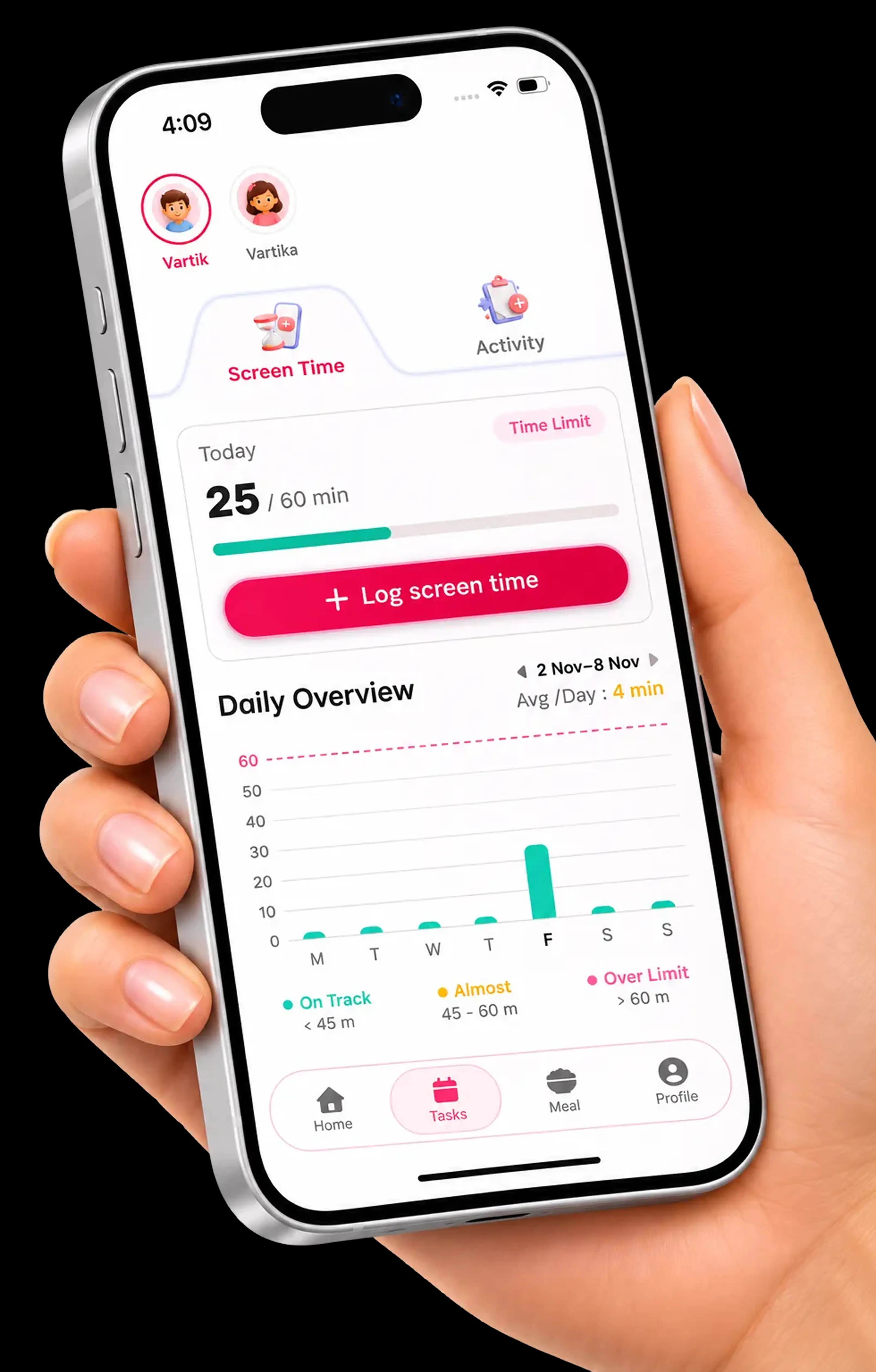
Set a daily limit for each child and see how today is going. A simple report helps you build healthy screen habits at home.
Daily limit for each child
Different ages need different limits, so every child gets their own.
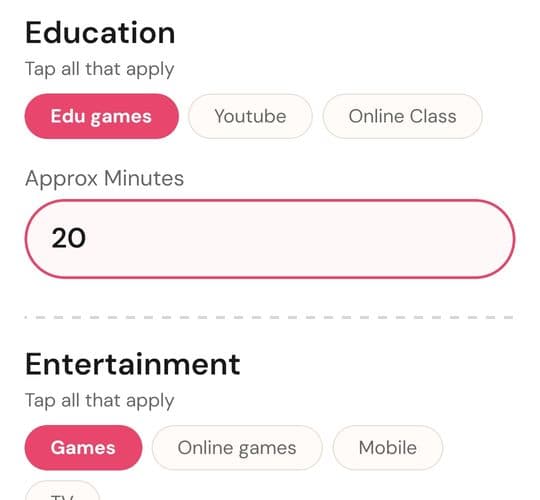
Education vs entertainment
Tag time as edu games, online class, YouTube or games and see the split at a glance.
Daily overview and weekly chart
Spot the pattern across the week and talk about it with your child.
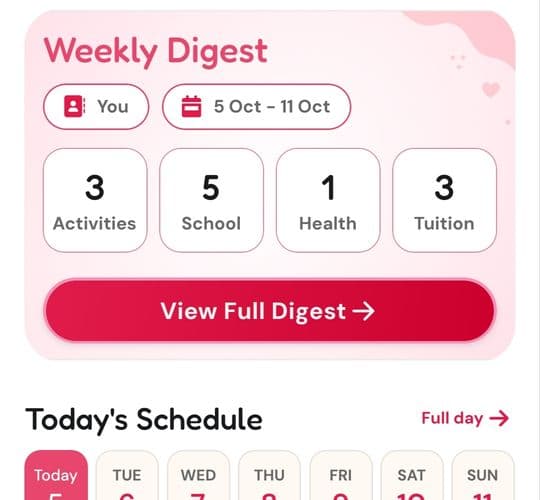
Weekly Digest: One Simple Summary of Your Child's Day
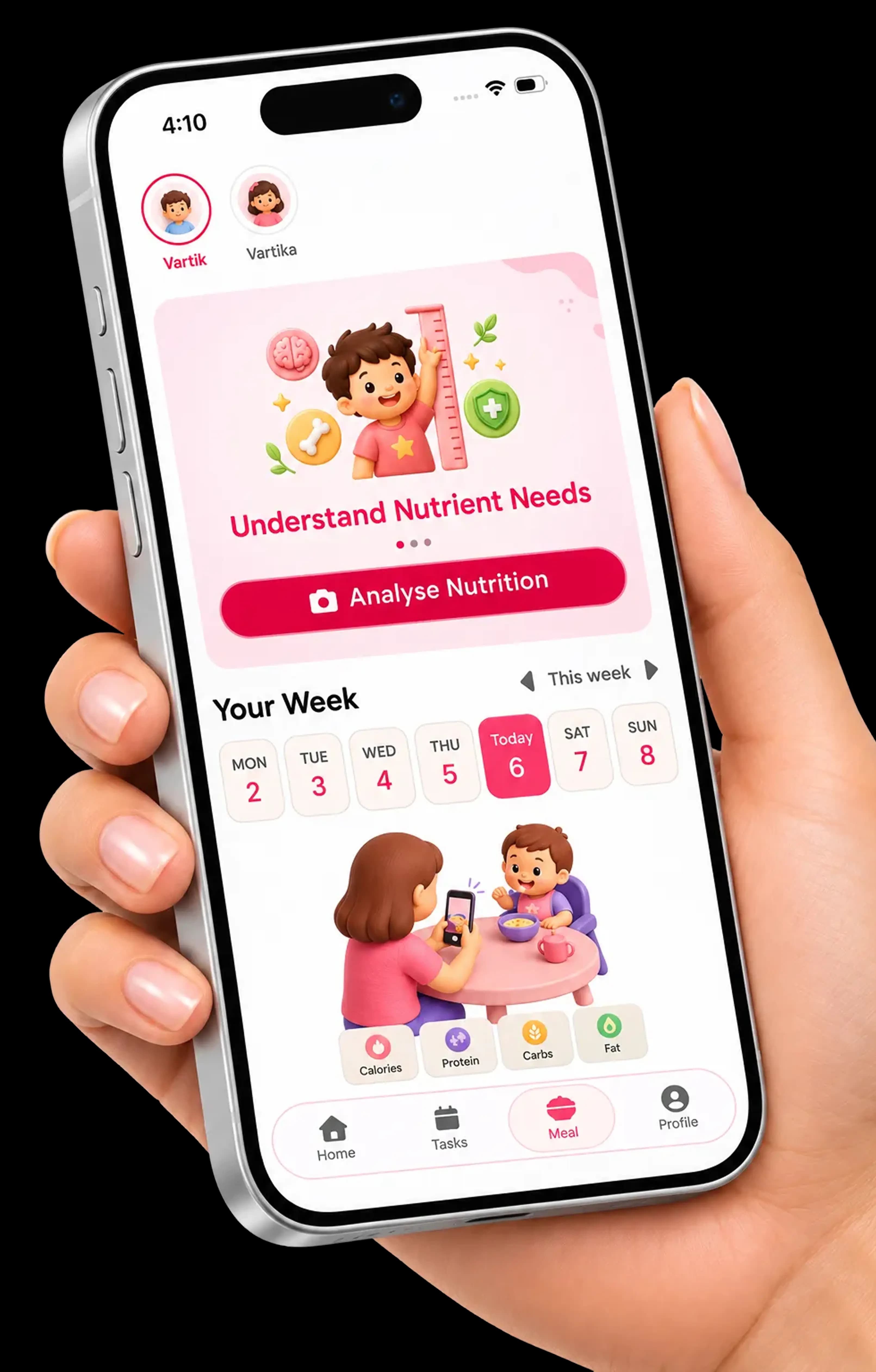
Open the app and see the day at a glance: schedule, activities, meals and screen time, all in one place for every caregiver.
Today's schedule at a glance
Pick a day of the week and see what is planned, from school to tuition.
Quick logs for common actions
Record the usual things without opening five different screens.
One tap to add an activity
Add something new the moment you think of it, so the plan stays current.
From scattered messagesto one shared plan
What changes when every caregiver uses the same app.
Without a shared app
Tuition time is in one chat and the doctor visit is in another.
Nobody is sure what your child ate at school or at Dadi's.
Screen time is a guess, and it changes depending on who is home.
Every caregiver asks you the same questions each day.
With CrayonLyf
One shared task list that shows who did what.
Meals logged from a photo, visible to everyone you invite.
A daily limit for each child, with an education vs entertainment split.
One Weekly Digest that answers "how is the day going?"
One app. One shared plan. Less confusion.
Parenting Tips for Screen Time, Meals and Daily Routines
Our blog shows you how to get the most from each feature, with simple guides you can use the same day.
Screen time tips for kids
How much is enough? Learn how to set a daily limit and balance education with entertainment.
Healthy meal ideas and tracking
Simple ways to log what your child eats and spot patterns across the week.
Daily routines the whole family can follow
Plan tasks and activities so every caregiver knows what comes next.

Frequently Asked Questions
Find answers to common questions about CrayonLyf features.
What features does CrayonLyf have?
CrayonLyf has shared caregiver tasks, AI-based meal tracking, activity logging, a screen time manager and a Weekly Digest that summarises your child's day.
How does AI meal tracking work?
Take a photo of your child's meal and CrayonLyf identifies the food items and shows estimated nutrition for each one, including calories, protein, carbs, fat, calcium and iron. You can edit the items, pieces and grams before confirming and logging the meal, or add a meal by typing it in.
Can I set a screen time limit for my child?
Yes. Set a daily limit on your child's profile and follow their progress on the daily overview and weekly chart.
Can grandparents and nannies use CrayonLyf too?
Yes. Invite your partner, grandparent or nanny by phone number or email. Everyone you invite sees the same updates, and you control their access.
Can I track more than one child?
Yes. Add each child to your account and track meals, screen time and activities separately for each one.
Are all CrayonLyf features free?
Yes, all CrayonLyf features are completely free and easy to use.
Small steps.
Brighter tomorrows.
From the first heartbeat to every milestone, CrayonLyf is here to make parenting a little simpler and a lot more joyful.